
SmartReply is a complete AI customer service option for small businesses: Gmail, website chat, social replies, reviews, action decisions, carrier investigations, and customer follow ups. Evaluate it for your full support operation.
One AI support platform for email, website chat, social, and reviews
SmartReply is built to run your customer service across Gmail, website chat, Instagram, Facebook, WhatsApp, TikTok, TikTok Shop, and other connected channels. It answers product questions, handles order conversations, moderates public comments, and works through customer requests. You do not need a separate helpdesk just because a customer emails you or uses your website chatbot.
Connect Gmail for automated email replies and use website chat for product recommendations and support. Give the agent your products, policies, and reply instructions. Customers get an answer that fits the question and the channel.
AI creates the action. A separate AI decides what happens.
The conversation agent gathers the context and creates an action request, such as a refund, replacement, cancellation, or address change. SmartReply's separate AI Action Approvals process evaluates that request against your rules and the available evidence. It can approve, decline, or wait for manual approval. This separates understanding the customer from deciding what your business should do.
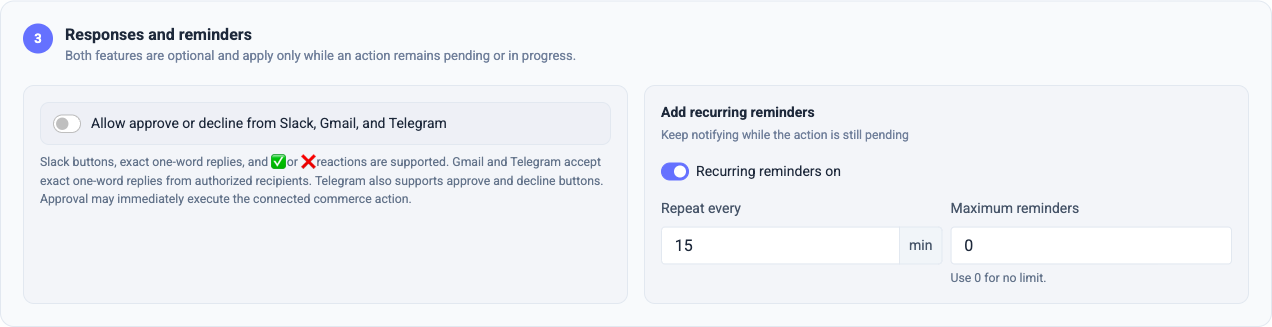
You control the decision instructions, test mode, and approval limits. Action Notifications can notify the right team when a request needs review, then repeat reminders while it remains pending. Authorized teammates can approve or decline from Slack, Gmail, or Telegram when you enable that option. Separate operational alerts monitor queue health and can escalate unacknowledged incidents.
Delivery evidence, carrier outreach, and reimbursement work
A customer saying “my order never arrived” needs more than another tracking link. SmartReply brings tracking, available proof of delivery photos, customer messages, and carrier findings into the support workflow. Your team can investigate what happened and use the evidence for the next decision.
Carrier investigations can contact supported carriers, pass on delivery instructions, collect their replies, and keep the customer conversation informed. That gives your team a way to work on failed deliveries and stalled shipments while there is still a chance to recover the delivery. Carrier contact methods and delivery photo availability depend on the carrier and shipment.
For eligible TikTok Shop cases, SmartReply also helps prepare shipping reimbursement claims with tracking, photos, customer correspondence, and carrier evidence. Recovering a merchant reimbursement and resolving the customer's request are both part of the work. Carrier retries and claim approvals remain decisions made by the carrier or marketplace.
Reviews, comment moderation, and AI follow ups
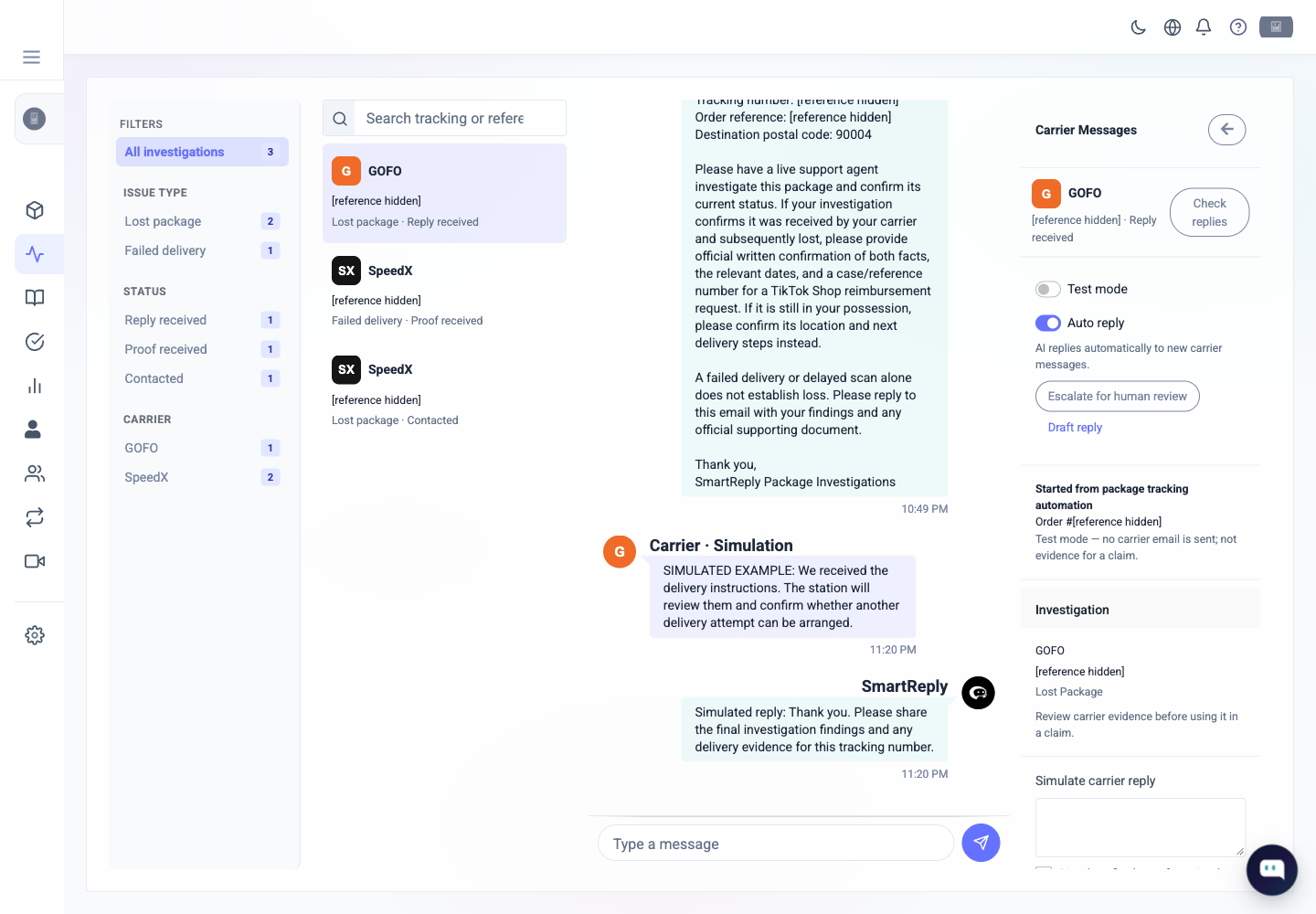
SmartReply handles Google review replies and TikTok Shop review management alongside customer conversations. Its AI comment moderation applies your instructions to spam, harmful comments, product questions, and genuine complaints. You decide what should be answered, hidden, ignored, or handed to your team.
AI follow ups keep conversations moving after the first answer. Configure when the agent should reengage, update customers about unresolved issues, and bring a person in. Use CSAT visibility and conversation review to find service problems and improve the workflow. Customer satisfaction comes from completing the work and following through.
Replies that sound like your team
SmartReply generates replies from the conversation, your knowledge, and your brand instructions. Your team does not have to choose a canned paragraph for every situation. Set the length, tone, vocabulary, and punctuation you want, including short answers without em dashes. Review examples and refine the agent when a reply sounds wrong.
The SmartReply ChatGPT plugin gives you another way to inspect agents, improve instructions, test questions, and work supported account tasks. Configure and test the support operation from a conversation, while SmartReply continues handling the enabled customer workflows.
The best AI customer service software for a small business depends on where customers ask for help. If most questions arrive under your ads, start there. If your team lives in an email inbox, start with that workflow. A great website chatbot can still leave your busiest channel untouched.
Here are five options worth evaluating for different needs: SmartReply, Freshdesk, Tidio, Help Scout, and HubSpot Service Hub. We publish SmartReply, so this is a guide to choosing a fit, with our product included. Vendor pages were checked on November 4, 2026. We have not run a comparative performance test.
Which AI support tool fits your business?
A starting shortlist by the work you need done
- SmartReply
When to evaluate itEmail, website chat, social, reviews, action decisions, and delivery recovery
What to verify in a demoYour channels, product context, supported order actions, and escalation rules
- Freshdesk
When to evaluate itA team looking for a helpdesk with AI and organized support workflows
What to verify in a demoThe specific Freshworks product, AI package, and channels included
- Tidio
When to evaluate itA store evaluating website chat and an AI agent
What to verify in a demoThe knowledge sources, shopping workflow, and usage allowance you need
- Help Scout
When to evaluate itA team evaluating a shared support inbox with AI
What to verify in a demoThe required inboxes, channels, AI features, and handoff experience
- HubSpot Service Hub
When to evaluate itA business organizing customer service around HubSpot
What to verify in a demoYour edition, CRM records, AI access, and complete subscription cost
| Platform | When to evaluate it | What to verify in a demo |
|---|---|---|
| SmartReply | Email, website chat, social, reviews, action decisions, and delivery recovery | Your channels, product context, supported order actions, and escalation rules |
| Freshdesk | A team looking for a helpdesk with AI and organized support workflows | The specific Freshworks product, AI package, and channels included |
| Tidio | A store evaluating website chat and an AI agent | The knowledge sources, shopping workflow, and usage allowance you need |
| Help Scout | A team evaluating a shared support inbox with AI | The required inboxes, channels, AI features, and handoff experience |
| HubSpot Service Hub | A business organizing customer service around HubSpot | Your edition, CRM records, AI access, and complete subscription cost |
SmartReply for complete AI customer service
SmartReply handles Gmail, website customer service, social conversations, public comments, reviews, and order support. Social AI handles social engagement workflows. Support AI addresses customer support using connected information and your instructions.
Start with the channel that creates the most repeated work. Ask us to demonstrate one product question, one order request, and one case that should go to a person. Check which actions your particular store connection supports. A reply saying an order was changed is not proof of a completed change.
Freshdesk for helpdesk workflows
Freshdesk brings AI and team support workflows together. It is a reasonable candidate when you want to organize support around a helpdesk. Confirm the product and AI package being quoted. Freshdesk, Freshdesk Omni, and other Freshworks products should not be treated as one identical subscription.
Tidio for website conversations
Tidio's Lyro AI Agent is another option to evaluate for store conversations. Give it questions from your own catalog and policies. Then test the point where a customer needs a person. Ask for the allowance and charge associated with the exact AI workflow you plan to use.
Help Scout for a support inbox
Help Scout combines a support inbox with AI products. Evaluate how your team will assign work and continue conversations after a handoff. Check its current plan details for the channels, integrations, and AI features you need.
HubSpot Service Hub for a CRM centered team
HubSpot Service Hub is worth considering if your customer records and team processes already run through HubSpot. Map the records and service tasks you need before choosing an edition. Having a CRM and having the right support automation are separate requirements.
How to choose without buying five subscriptions
Shortlist two platforms based on your busiest channel. Give each the same ten questions, including an unclear request, an outdated promotion, and a customer asking for a person. Score factual accuracy, completed work, review time, and the handoff. Use the free trial checklist to record results.
For your customer service operation, start with SmartReply and check the current plans. A small team needs less unfinished work, not another inbox to babysit.